5 minute read
From Frustration to Flow: How We Boosted AR Shelf Capture Completion Rates
Store 360 is feature full mobile app for merchandizers doing champion sales. But when they capture images for wider shelves it consumes their time more than expected. For this reason the business have brought AR Camera feature for seamless capturing.
Challenge
Though the feature supports continues capturing of shelves, user need to follow multiple instructions to capture perfectly. Currently the users are abandon this feature without using it to capture the wide shelf though it consumes less time for capturing the wide shelf.
Role, Duration & Process
Role
Lead UX Designer
Duration
6 Weeks
Process
Non-Linear
Usability Testing
Participants: 5–6 users who are both familiar and unfamiliar with the AR Camera.
Primary Users: Merchandisers responsible for capturing shelf images.
Criteria:Must have attempted the AR Camera at least once. Mix of users who abandoned quickly, those who partially completed tasks, and a few who adopted successfully.
Demographics: Range of device types, regions, and experience levels.
Tasks: Capture a wide shelf SKU using AR Camera vs. normal camera.
Measure: Time on task, number of errors, completion rate, and frustration moments (think-aloud protocol).
Understandings from Usability Testing Screen Recordings
Abandoned users of AR Camera Feature
9/10
(1811 of 2097 sessions last month)
User completion percentage for capturing scene using AR
22%
Solution
To address these challenges, I designed improvements focusing on guidance, error handling, feedback, and UI clarity.
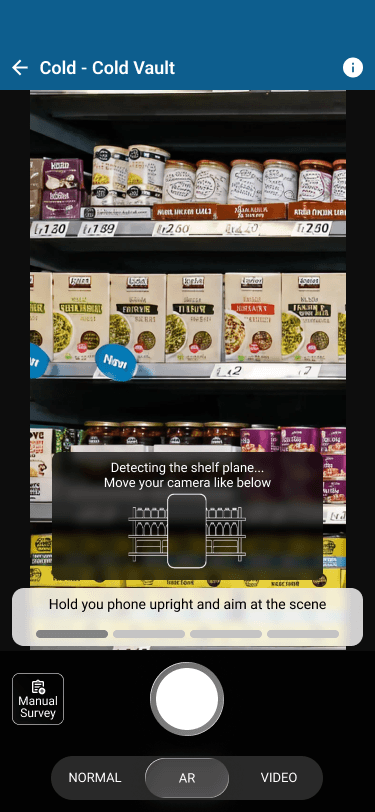
Move Phone Animation
Problem: Users didn’t know how to move device for calibration.
Solution: Added a simple animated guide showing the correct motion.
Impact: Reduced trial-and-error; faster calibration.
User Guides (Inline Help)
Problem: First-time users were lost, no clear onboarding.
Solution: Introduced inline user guides with ghost outlines, arrows, and tips.
Impact: Improved first-time task success rate.
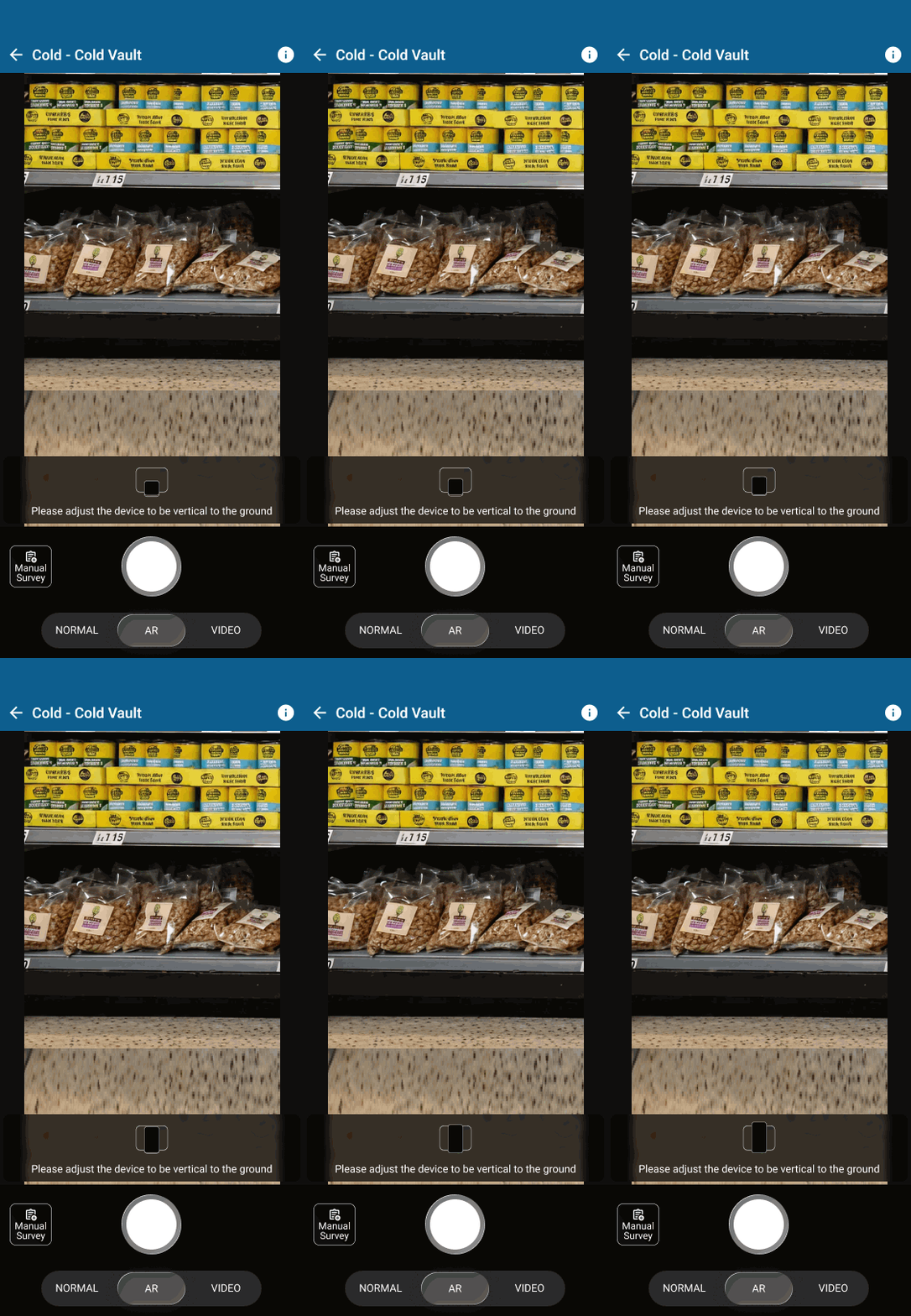
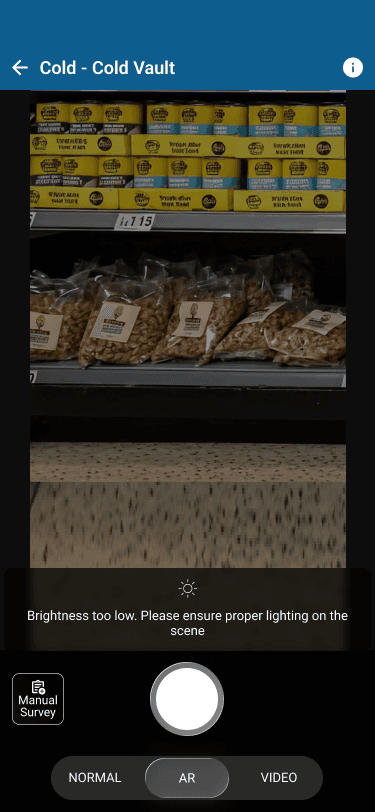
Priority-Based Errors
Problem: Frequent, repetitive error messages led to frustration.
Solution: Designed error hierarchy: critical errors interrupt flow, minor ones show as hints.
Impact: Reduced interruptions, smoother flow.
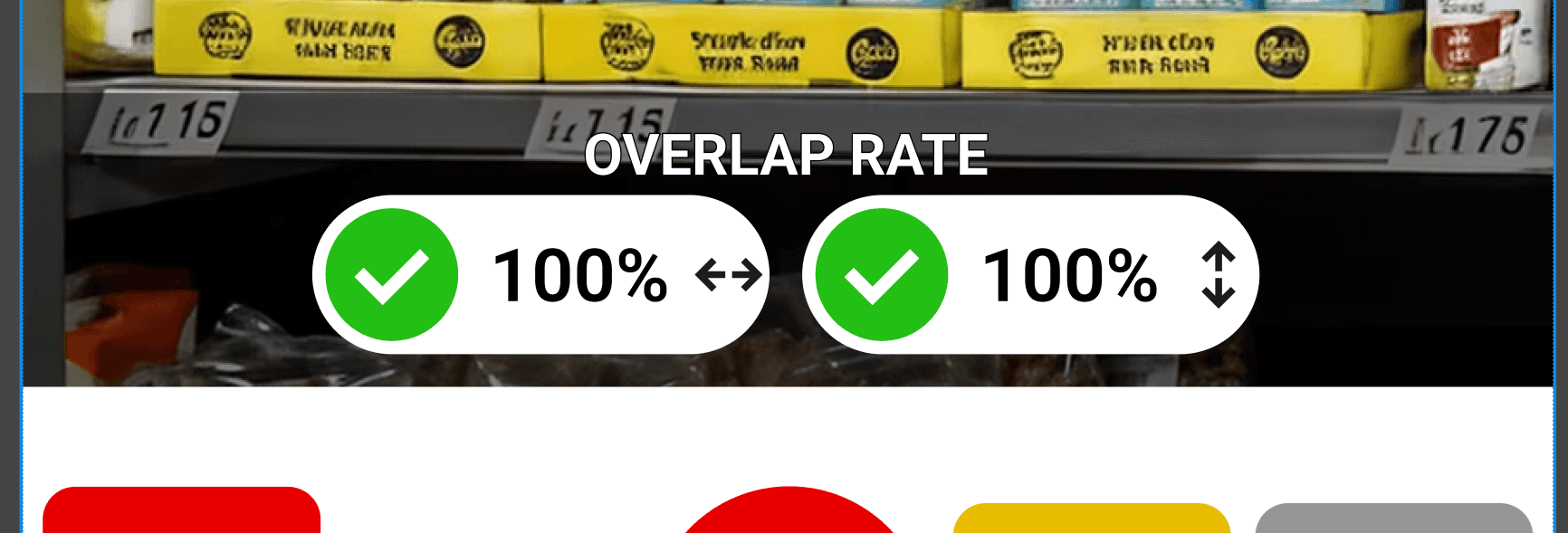
Overlap Rate Indicators
Problem: Users couldn’t judge if capture Overlap was “good enough.”
Solution: Added a visual overlap percentage to show scan completeness.
Impact: Increased confidence; fewer abandoned scans.
Clean UI for Next Image Capture
Problem: The AR capture UI felt cluttered, slowing users down.
Solution: Redesigned a minimal, focused UI for taking the next image quickly.
Impact: Faster multi-image capture; reduced cognitive load.